


Best Honeycomb Bravo Upgrade for Phenom 100 and Phenom 300 Flight Simulation
The Embraer Phenom 100 and Phenom 300 have become two of the most popular light business jets in modern aviation. Known for their impressive performance, sleek cockpit design, and advanced avionics, these aircraft have attracted a growing community of flight simulation enthusiasts looking to recreate the experience in Microsoft Flight Simulator.
While modern aircraft simulations continue to improve, one challenge remains the same: finding realistic physical controls that accurately represent the aircraft being flown. Generic throttle levers can reduce immersion and make it difficult to replicate authentic aircraft procedures.
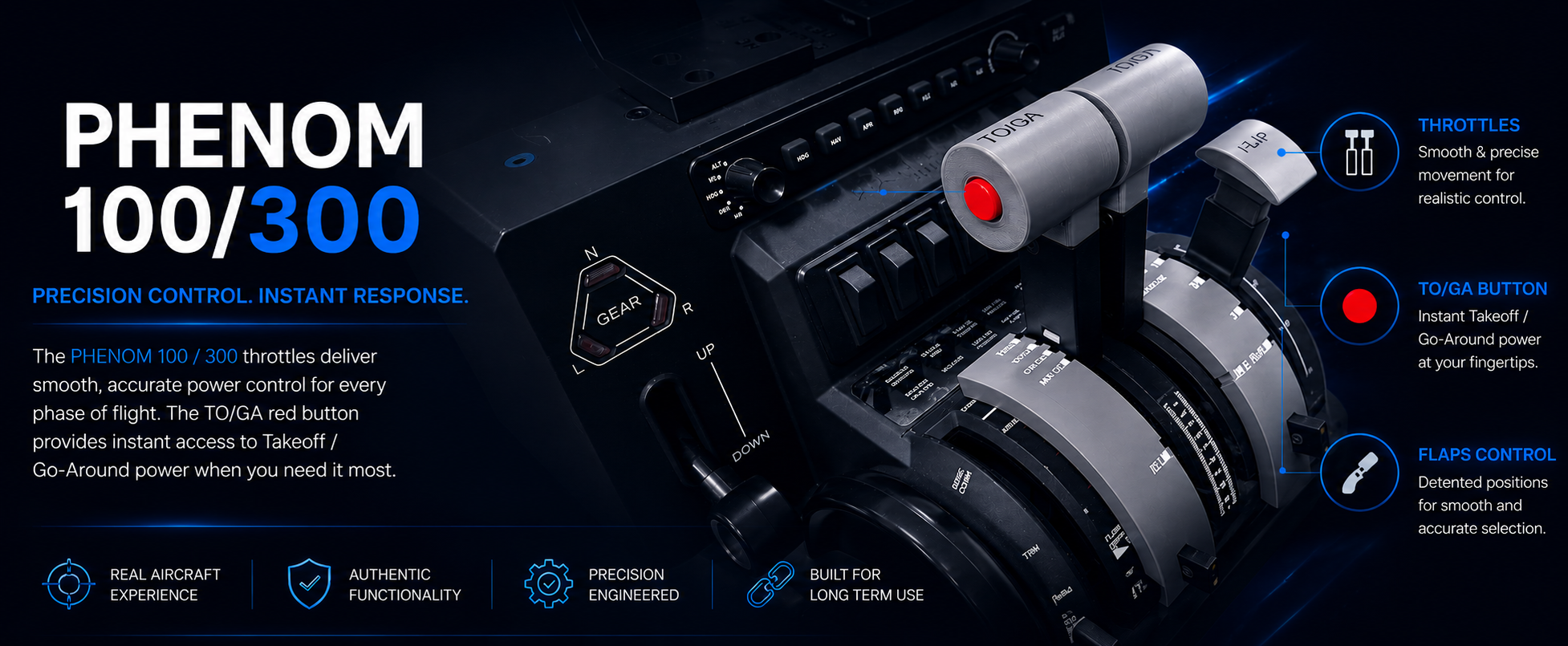
To address this challenge, ProDeskSim has introduced the new Phenom 100/300 Throttle Add-On Pack for the Honeycomb Bravo Throttle Quadrant.
Why Dedicated Phenom Throttles Matter
Business jet pilots rely on throttle controls that feel substantially different from airline or general aviation aircraft. The shape, ergonomics, and operation of the throttles play an important role in creating an authentic cockpit experience.
The Phenom 100 and Phenom 300 utilize a unique throttle design that differs significantly from Boeing and Airbus aircraft. By using dedicated throttle controls designed specifically for these aircraft, pilots can improve immersion and develop more realistic muscle memory during simulator training.
Designed for Honeycomb Bravo Owners
The Honeycomb Bravo Throttle Quadrant is one of the most popular flight simulator throttle systems available today. Its modular design allows users to customize their hardware for different aircraft types.
The new ProDeskSim Phenom 100/300 Throttle Add-On Pack transforms the Bravo into a dedicated business jet throttle system, helping users create a more realistic flight deck environment for Embraer operations.
Enhanced Realism for Microsoft Flight Simulator
Whether flying short corporate routes or long cross-country missions, realistic hardware contributes significantly to the overall simulation experience.
Benefits include:
-
Improved immersion
-
Realistic throttle handling
-
Enhanced cockpit appearance
-
Better aircraft-specific procedures
-
More authentic business jet operations
The upgrade is particularly valuable for virtual pilots who spend considerable time flying the Phenom series in Microsoft Flight Simulator.
Built for Flight Simulation Enthusiasts
ProDeskSim has become known for producing aircraft-specific throttle solutions designed around realism and functionality. The Phenom 100/300 package continues that tradition by offering a dedicated solution tailored to business jet pilots.
The design helps bridge the gap between software simulation and physical cockpit interaction, allowing users to experience a more engaging and realistic flight.
Who Should Consider This Upgrade?
This throttle add-on is ideal for:
-
Microsoft Flight Simulator users
-
Honeycomb Bravo owners
-
Business jet enthusiasts
-
Corporate aviation fans
-
Virtual pilots seeking greater immersion
-
Home cockpit builders
Conclusion
As business jet simulation continues to grow in popularity, dedicated hardware solutions become increasingly important. The ProDeskSim Phenom 100/300 Throttle Add-On Pack offers Honeycomb Bravo users an opportunity to create a more authentic cockpit environment while enjoying enhanced realism and immersion.
For virtual pilots looking to take their Phenom operations to the next level, this upgrade represents an exciting addition to any flight simulator setup.
View the product here: