

** Due to unusually high demand, this product’ this product ships out from our warehouse 4–6 weeks after the order date **

NEW! Prodesksim Stand Alone B737 Engine Start/APU/Lights module Overhead panel


Price:
Sale price$197.00 USD

Payment & Security

Apple Pay Bancontact Diners Club Discover Google Pay iDEAL Mastercard Shop Pay Visa

Your payment information is processed securely. We do not store credit card details nor have access to your credit card information.

Description

** Due to unusually high demand, this product’ this product ships out from our warehouse 4–6 weeks after the order date **

ProDeskSim Boeing 737 Compact Overhead Lights/Engine Start Panel – USB-C
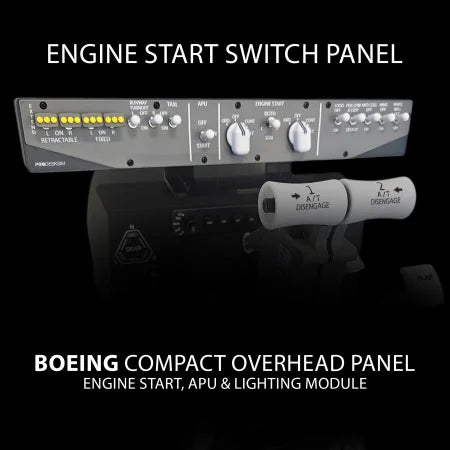
This compact, stand-alone panel includes the Boeing 737-style Overhead Light/Engine Start controls in a single unit. Designed for easy integration into your flight sim setup, it connects via USB-C and provides a simple, functional layout for essential engine and lighting operations. Ideal for simmers looking to add key 737 controls without taking up much space.

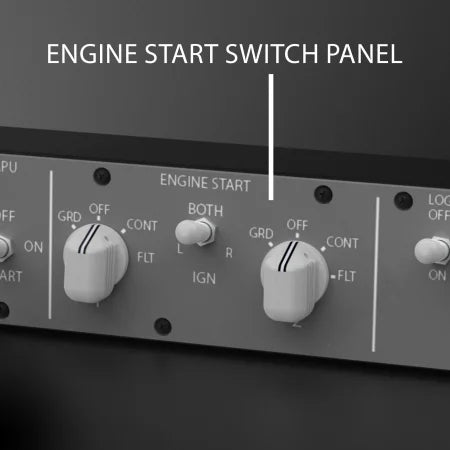
  • 2x Engine Start selectors with Detents at GRD - OFF - CONT - FLT
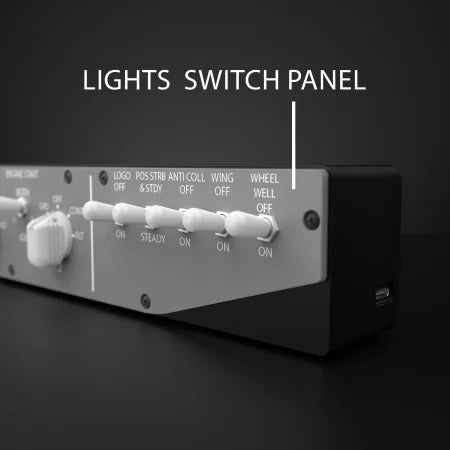
  • 14x switches for lights and other functions
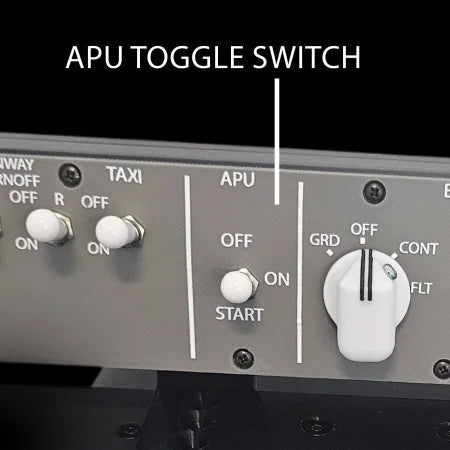
  • Three position APU toggle switch with spring loaded Starter position 
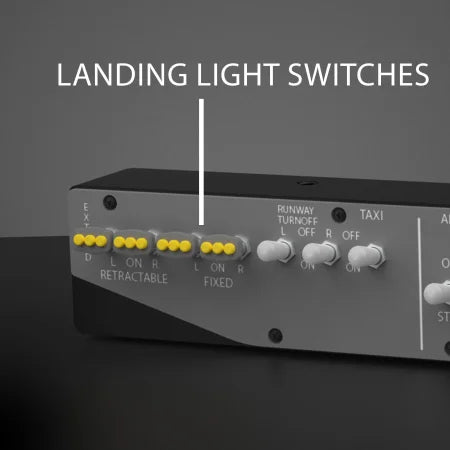
  • Realistic landing light switches with three position and two position toggle switches
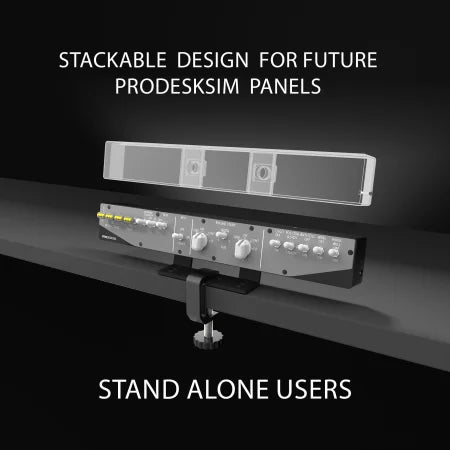
  • Stackable for future ProDeskSim panels
  • Mountable on your Desk, Honeycomb Bravo or TCA
  • Fully Stand alone product. Mountable to Table, TCA and Honeycomb bravo as well as other mounting options. Mounting hardware included

Product Size: 39.3 cm W x 5.7 cm H x  4.2 cm D (15.5" x 2.25" x1 .65")

More Product Details

A black ProDeskSim Boeing compact overhead aircraft panel with labeled switches for lights, engine start, APU, and a USB-C port. White labels and switches are shown on the front. Text highlights key features.
A black PRODESKSIM stand-alone USB-C aircraft panel with labeled switches for landing and taxi lights, APU toggle, engine start, and lights. It can be mounted on Honeycomb Bravo or TCA.
Close-up of an aircraft control panel with various labeled switches and rotary knobs for engine start, engine selection, and other controls. Text highlights features like realistic knob design and compatibility with any aircraft.
A control panel with rotary knobs labeled "ENGINE START" and "BOTH," featuring settings such as GRD, OFF, CONT, FLT, L, BOTH, R, and IGN, with text noting its realistic design and aircraft compatibility.
Close-up of an aircraft control panel showing a labeled "APU" three-position toggle switch with "OFF" and "START" positions, alongside other labeled engine and runway switches. Text describes the spring-loaded start position.
Close-up of a control panel showing a three-position APU toggle switch labeled OFF, ON, and START, with the text: "3 POSITION APU TOGGLE SWITCH WITH SPRING LOADED START POSITION." Other switches labeled TAXI and GRD are also visible.
A close-up view of a PRODESKSIM control panel featuring labeled toggle switches for landing lights and lights, with descriptions highlighting its compact desktop design.
A close-up of a PRODESKSIM control panel showing labeled toggles: 3-position landing light toggle switches, lights toggle switches, and a note reading "Compact Desktop Design." The switches are yellow and white.
Close-up of a control panel featuring white toggle switches and knobs, labeled with various functions. Labels indicate an array of toggle switches and a custom PCB with a USB-C connection on the side.
A close-up of an electronic device panel featuring five white toggle switches labeled for different functions and a USB-C port, with descriptive text highlighting the array of switches and custom PCB with USB-C connection.
A control panel is mounted on a desk using two brackets and a clamp. Arrows label "Easy Slide" and "Mountable on your desk, Honeycomb Bravo or TCA." Text below reads "Mounting hardware included.
A metal device mount is clamped to a desk, holding a control panel. Text on the image reads: "Mountable on your desk, Honeycomb Bravo or TCA, Easy Slide, Mounting Hardware Included.
A control panel mounted on a desk with text showing “STACKABLE DESIGN FOR FUTURE PRODESKSIM PANELS” above and “MOUNTING HARDWARE INCLUDED” below. Dashed outlines indicate space for additional panels.
A ProDeskSim control panel mounted on a desk with a clamp, showing stackable design for future panels above it, highlighted by dotted outlines. Text reads: "Stackable design for future ProDeskSim panels" and "Mounting hardware included.
Two identical autopilot control panels are shown mounted on different throttle quadrants: one on a Honeycomb and one on a TCA. Text notes that Honeycomb and TCA are not included.
A Flight Simulator control panel is shown mounted on a Honeycomb throttle quadrant (top) and a TCA throttle quadrant (bottom), with text noting that the Honeycomb and TCA devices are not included.